Travel · Safety · How it works
Skiing and Mountains With No Signal: How to Share Your Location
In the mountains, signal comes and goes, and the cold drains your battery. What happens to your location without signal, which phones can request help by satellite in Spain, what to do before you lose signal, and how to make it through the night with battery left.

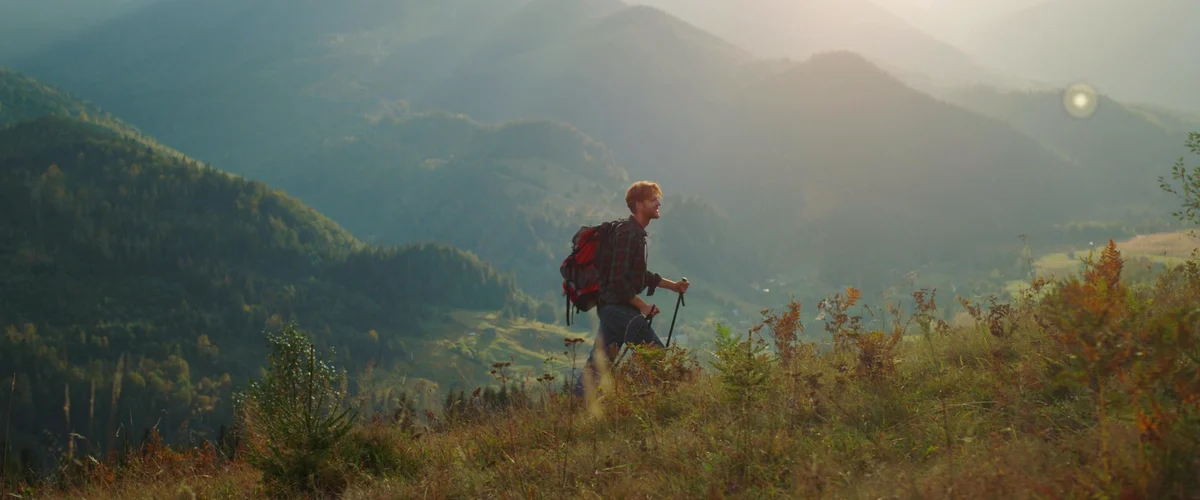
A backcountry ski day, a trail through the sierra, a mountain pass: spending stretches without signal is normal. It's not an emergency, but it's worth knowing what your family can see in the meantime, what you can do if something happens right there, and how to look after your phone in the cold. Data from Apple, Google, the Guardia Civil and emergency services, checked on October 15, 2026.
What happens without signal
GPS keeps working: your phone still knows where you are. What it can't do is send that, because sending a location needs data. Your family sees your last position with its time ("40 minutes ago") and nothing more until you get signal back. We explain it in depth in what happens to your location without signal. In Mi Estela, your face stays where you sent your last signal, and what matters (an "I've arrived", an SOS) is saved and goes out on its own once the network returns.
Before you lose signal
- Tell someone where you're going. It's the first piece of advice from the Guardia Civil for the mountains. Route, expected return time and who you're going with.
- Send your location while you still have signal: when you park or at the last point with coverage. If you use WhatsApp, share your live location for 8 hours; it will update each time your phone gets a signal.
- Set a return time. In Mi Estela, Athletes Active mode lets you say how long you expect to be out and, if you don't confirm you're back in time, it alerts your people. To be honest: in the mountains or without signal, no app can promise total safety.
- Download the map of the area so you can use it offline.
If something happens and there's some signal: 112
You can call 112 on any operator's network, even if it isn't yours, and since 2021 your phone automatically sends its location to the emergency center during the call (the AML system, with a margin of 15 to 20 meters), across all regions of Spain. We cover it in what 112 knows about where you are when you call. If you have one bar, call: don't wait for more.
If there's no signal at all: satellite SOS
Some phones can message emergency services by satellite when no network is available. In Spain, as of October 15, 2026:
- iPhone 14 and later (all models), with iOS 16.4 or later. Apple includes Spain in its list of countries and says the service is free for two years from the day you activate your iPhone. You answer a few questions with taps, the message reaches emergency services (directly or through a relay center), and you can alert your emergency contacts.
- Google Pixel 9 and later, except the Pixel 9a. Google includes Spain in its country table, with Google Messages as the default messaging app. You can alert your emergency contacts with your location, or choose not to.
- Other Android phones: it depends on the model and the country. Check your phone's safety and emergency settings before you head out; if it isn't listed, don't count on it.
For it to work you need a clear view of the sky: trees, rock walls or a ravine can block the connection, and the response can take a few minutes. Both brands have a test mode: try it at home, not on the day you need it.
The My112 app
My112 is free and used by the 112 services in Madrid, Castile and León, Catalonia, Cantabria, Navarre, La Rioja, Castile-La Mancha and Melilla. Call 112 and it sends your location, lets you send photos, and after the call it texts the contacts you choose. If it's switched on, 112 can also check your positions from the previous ten days: if someone reports you haven't come back, rescue teams know where you went. The Community of Madrid explicitly recommends it for mountain outings.
Battery and cold
Apple designs the iPhone to be used between 0 and 35 °C. Below that, the battery can drain faster and the phone can shut off even when it shows charge, and it recovers once it warms up. On snow that's normal, so:
- Keep your phone in an inside pocket, against your body, not in your backpack or outside your jacket.
- Start with 100% and a power bank (also kept warm).
- Without signal, your phone uses a lot of battery searching for a network: airplane mode saves power, and on most phones GPS keeps working for a downloaded map. Switch it off now and then to send your location.
- Lower the brightness and close what you're not using. The numbers on how much a location app really uses are there.
And what no phone can do
The Guardia Civil reminds people in its mountain advice: bring a flashlight, a waterproof layer and an emergency blanket even on a good day, and plan on having to look after yourself until help arrives. Your phone helps people find you; it doesn't replace planning your route, checking the forecast and turning back in time.
Sources
- Apple: using Emergency SOS via satellite on iPhone (countries, iOS 16.4, two years free; checked Oct 15, 2026)
- Google: emergency satellite help with your Pixel (models and countries; checked Oct 15, 2026)
- Xataka Móvil: 112 recommends installing My112 (Aug 24, 2026; checked Oct 15, 2026)
- Community of Madrid: safety recommendations for mountain outings (checked Oct 15, 2026)
- Guardia Civil: mountain rescue advice (checked Oct 15, 2026)
- Apple: if your iPhone or iPad gets too hot or too cold (0–35 °C; checked Oct 15, 2026)