Mi Estela gets updated almost daily (the version tag in the app shows it). Here are the changes you'll notice when you use it, from newest to oldest. Small and internal stuff isn't here; what changes your day-to-day is.
20 new updatesLatest: October 15, 2026Real dates, from the app's history
App store versions update on their own a few days after each change; the website updates right away.
Six more guides: couples, locators, telecare, and what to do if they don't arrive
When sharing location with a partner becomes control (warning signs, the law, and the 016 helpline), which locator to put on your car, motorcycle, or bike, AirTag vs. Find Hub, SmartTag and Tile with prices in Spain, how to apply for telecare in your region, how to see who can see your location, and what to do if your child hasn't arrived and isn't answering (without waiting 24 hours, and calling 116 000).
Is Life360 Safe? What Its Policy Says and How to Limit It
The 2024 leak (Have I Been Pwned, SecurityBrief), Life360's August 2026 policy on your location and partners, and each switch to limit sharing or request your data. Sourced.
Six more guides: seniors, prices, teens and crowds
Locate a senior with their consent, WhatsApp vs Google Maps, iPhone and Mi Estela compared, 2026 app prices, and not getting lost at festivals and concerts.
Six new blog guides: real-time location, Life360 and the mountains
What real-time location is and how long it lasts in each app, how to share your location via WhatsApp, SMS, Telegram, Google Maps and iPhone, the Life360 alternatives in Spain, whether Life360 is free and what it includes, what to set up on the first phone before Three Kings' Day in Spain, and what to do in the snow or the mountains without signal (satellite SOS, 112 and cold).
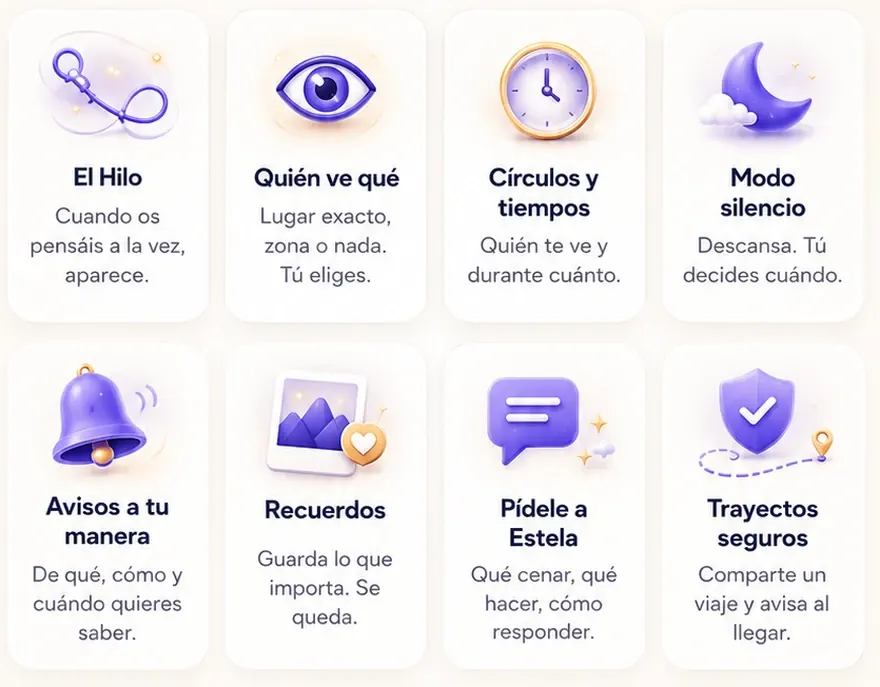
Every Mi Estela feature on one page, all 95 of them
miestela.app/todas-las-funciones counts the 95 things Mi Estela does, using the same names and phrases you see in Explore: the map with your people, the long-press star, walking directions with voice, subway and bus, the games (In One Go, The Knot), the shared kitty and expenses, caring for older family members, privacy. And the blog just launched thirteen guides: what age is right for a first phone, Telegram, Apple Watch without an iPhone, Google Maps Timeline, an AirTag that follows you, Life360 vs. Qustodio, Alzheimer's, group travel, Snap Map, Instagram's map, what Spain's 112 emergency line knows about where you are, why the blue dot jumps around, and Find Hub vs. Find My.
miestela.app is launching new pages for features, who it's for, travel (the 17 Camino de Santiago routes), how to get started, guides by phone brand, comparisons with sources, the blog, the “Which family locator app suits you?” quiz, FAQs, a glossary, and “what we do and what we don't do.” It's being automatically translated into 30 more languages (English is already live; the rest will follow in the coming days).
“Where to?” takes you by metro and bus step by step and, in Madrid, tells you when the bus is actually coming (“the 27 arrives in 3 min”). “I'm on this one” warns you one stop before you get off and lets your family know which line you're taking and when you'll arrive.
Each face has a ring: green when it's connected, red when it's been without signal for a while, orange when the battery is running low. In a group, up to six faces can pile up on the map, with no “+3”.
If a phone goes more than 20 minutes without sending a signal, an invisible nudge tries to wake the app in the background. For Android phones that put apps to sleep at night.
Removing someone, deleting the circle, or leaving it all have big buttons, and you can see who's in charge of each circle. In Life, every trip and every stop shows its date (today, yesterday, Mon Oct 12).
The store version of the app now has everything above. If you have an older version, the app reminds you once per version, between 10 a.m. and 9 p.m., without nagging.
Stay With Me: set how long you'll take and get alerted if you're late
The "on my way" tool is back: pick how long you expect to take, and if you don't arrive on time, your people get an alert. Arrival alerts now name the spot (not just "the office"), and going invisible asks for a "yes" first.
When you ask where to meet, she looks for restaurants and bars close to everyone, not just the literal phrase (before, a hair salon could show up). And she can look at the photos you send her again.
If you sign in with your account on a phone while another of your phones is still sharing, the app asks “Is this your phone?” instead of just kicking the other one off. If it's the one you carry with you, your people see you from here, and the other phone gets a heads-up.
When someone in your circle starts driving, a "Ride along with…" button appears on their card. Tap it and the map rides along with them down the road, smoothly showing you the way ahead.
Tap the map to choose where you want to go, and it plots the trail route, with distance, time and elevation gain. “Guide me by voice” announces every turn.
Waiting for someone? Tap their face and choose “Tell me when they get here”: you'll get an alert as soon as they reach where you are, without checking the map.
We use analytics (Google Analytics and Microsoft Clarity) to learn which parts of this site help and which don't, so we can improve it. No ads. More info
 Mi Estela