Privacy · Comparisons · Safety
Is Life360 Safe? Data It Collects and How to Limit It (2026)
Not a yes or a no: these are three separate questions. The 2024 leak, what the company does with your location, and what your Circle sees, with the switches to shut off the tap.

“Is it safe?” is really three separate questions: whether your data can be stolen, what the company does with your location, and what people in your Circle can see. We answer them one at a time, based on what Life360 and the technical press say as of October 15, 2026. We won't give you a “yes” or a “no”. We'll give you the data and the switches. We're a competing app, so every fact comes with its source.
1. Can your data be stolen? What happened in 2024
There were two incidents in 2024, and it's worth keeping them apart:
- The API leak (March–July 2024). According to Have I Been Pwned, data obtained in March from a misconfigured Life360 API was published online in July 2024: about 443,000 unique emails and, in most cases, names and phone numbers too. HIBP does not list passwords or locations among the exposed data, and says Life360 notified those affected. Experts cited by SecurityBrief explained the flaw: when a valid email was entered, the API returned the account holder's name and phone number (in full or in part) even though the app didn't show it. The company confirmed the flaw has been fixed.
- Tile (June 2024). Attackers accessed the customer support platform of Tile, the location-device company Life360 acquired, and there was an extortion attempt. According to its CEO, that platform stores names, addresses, emails, phone numbers and Tile device identifiers, but not passwords, locations or card numbers, and the main service platform was not touched. The company reported it to the authorities and said it had strengthened its systems.
What to do about this: if you used Life360 before August 2024, check your email at haveibeenpwned.com, don't reuse passwords, and be wary of texts or calls that mention your name and phone number. What experts expected from a leak like this was mainly phishing messages and attacks that exploit reused passwords.
2. What does the company do with your location?
This is the part that matters most. According to its privacy policy (updated August 26, 2026), Life360 collects, with your consent, precise geolocation (GPS coordinates) and phone motion data (gyroscope, accelerometer, compass). It says it licenses “certain information, including precise geolocation” to partners for their own advertising and monetization purposes, and that it shares device and advertising identifiers with advertising partners. You can opt out, and below is how.
Its trusted partners page spells it out with three names:
- Arity is the provider of the driving features (detecting trips, measuring speed and detecting possible crashes). Life360 says that in North America Arity uses location data to create traffic analytics for government agencies and insurers, and that, if you don't turn off personalized ads, advertising identifiers shared with Arity may be used for advertising or to measure campaigns.
- Placer generates visit pattern analytics from aggregated Life360 data and, according to the page itself, may sell those analytics to urban planners, developers and retailers.
- Plaid is only involved if you connect your bank accounts for the “Subscription Tracker,” which Life360 limits to the United States.
The earlier story (the 2021 investigation and what changed in 2022) is told in this other article. Here we stick to what the company says today.
Two caveats, to be fair. Life360 says it does not share or sell information from members it knows are under 18, and that it doesn't show ads in Child or Teen accounts. And the partners page doesn't mention the European Union, so we can't tell you exactly what applies in Spain. To find out, you have the right of access (see below).
3. What does your Circle see?
Life360 says you can pause location sharing at any time (Settings → location sharing toggle) and that, with it off, your location isn't visible to your Circle. It adds that each member decides how they take part, what they share and which features they use. What that page doesn't cover is exactly what everyone else sees when you pause, or whether some members see more than others. Test it with a family member's phone before you trust it.
4. How to shut off the tap, step by step
Menus appear in English in Life360's help pages (on your phone they may show in your language). Open the app, tap Settings (top left) and go to Privacy & Security (Life360's help also calls it Privacy Center).
- Personalized ads. “Your Privacy Choices” → turn off “Personalized Ads”. You'll still see ads, just not tailored ones. In-app and off-app ads are managed in the same place.
- Aggregated data (used by partners like Placer). “Traffic & retail insights” → turn off “Include my data”. This only applies to future data: according to Life360, reports already created can't be changed or withdrawn.
- Arity. “Arity” → turn off “Connect to Arity”. Note: Life360 warns that if you turn it off, trip detection, real-time speed, driving history, crash alerts and the family driving summary stop working. It's the trade-off: more privacy, fewer features.
- Request a copy of your data. “Your Privacy Choices” → “Your Data Rights” → “Request my personal information” → “Submit Request”. You can also write to privacy@life360.com. As a resident of the European Economic Area, you have the right of access, rectification and erasure, and you can file a complaint with your data protection authority (in Spain, the AEPD).
- Delete your account. “Your Data Rights” → “Delete my account” → check the box → “Delete My Account”.
- Pause without deleting. The location sharing toggle in Settings.
One more point that often gets overlooked: the policy doesn't set a specific retention period for location history. It says it keeps information for as long as you use its products and for other reasons, such as complying with the law.
Five questions to judge any location app
- Is it paid for with ads or with a subscription?
- Does its policy talk about “licensing” or “sharing with partners” your location?
- Is there a switch that turns it off, and which features do you lose when you use it?
- How much history does it keep, and who can see it?
- Where are the servers?
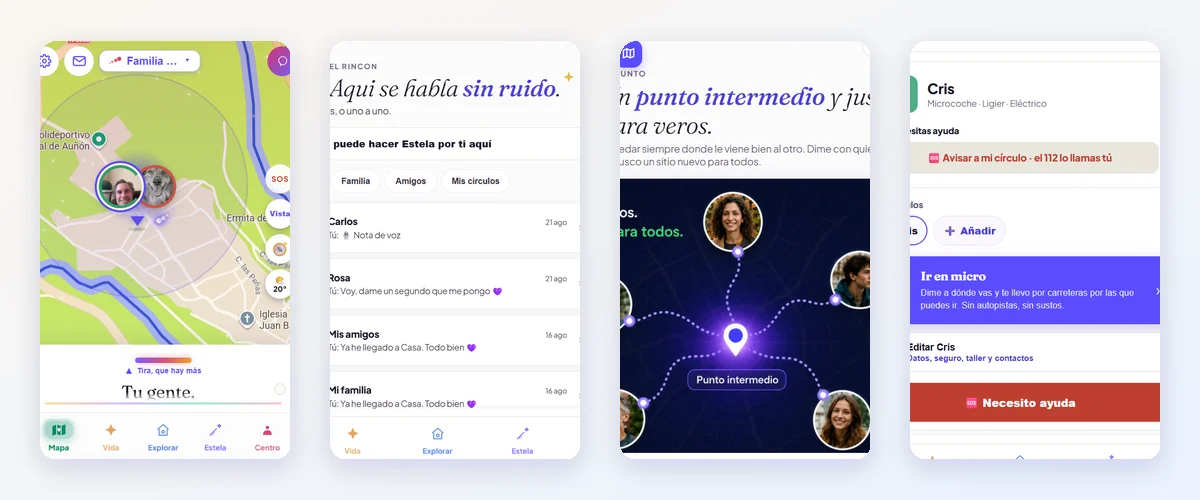
More detail in what to look for when choosing a family location app. And for comparison: Mi Estela has no ads and doesn't sell or license location data to anyone. It's funded by the optional Premium subscription, its servers are in the European Union, and location history is switched on by each person and deleted automatically after 30 days at most. It's written up in what Mi Estela will never be and on the transparency page. If you don't trust what we say, check the privacy listing on the App Store.
Sources
- Have I Been Pwned: Life360 breach (added Jul 20, 2024)
- SecurityBrief: Life360, 442,000 users and API flaws (Aug 6, 2024)
- The Register: Tile and Life360, extortion (Jun 13, 2024)
- Life360: privacy policy (Aug 26, 2026)
- Life360: trusted partners (Arity, Placer, Plaid)
- Life360: member controls (EU)
- Life360: privacy and security help
- Life360: responsible advertising