Comparisons · Family · Privacy
What to Check Before Choosing a Family Locator App: Seven Things
Every app promises "peace of mind." The differences that matter come down to seven specific things almost nobody checks before installing: from whether it mixes iPhone and Android to what its policy says about selling your location.

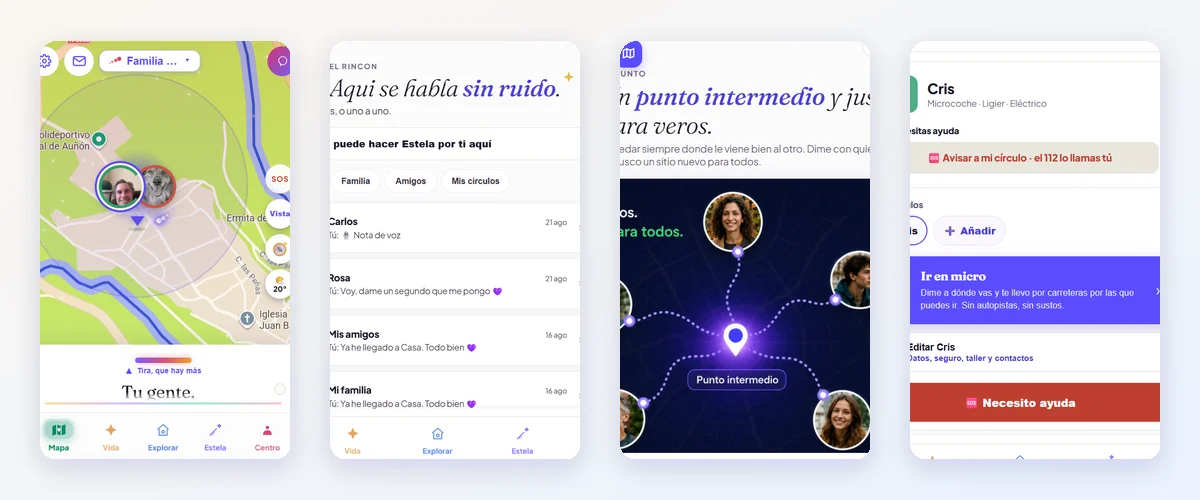
You search for "family locator app" and twenty come up, all with a map and a smiling family. The features look alike; what sets them apart is in the fine print and in the philosophy. This is the list we use to compare them (and to build our own), with what to look at for each point and examples with names. If you'd rather have someone ask you the questions, the quiz does the same thing in two minutes.
1. Does it work with the phones you have?
It sounds obvious, and it's the first cut. Find My only works between Apple accounts. Family Link only supervises Android. Circle-style apps (Life360, Mi Estela, GeoZilla…) and Google Maps mix iPhone and Android in the same family. If your home has both, this decides it for you.
2. Is it symmetrical, or is there a supervisor?
In a parental control app (Family Link, Qustodio, FamiSafe, Find My Kids), an adult sees the child and the child doesn't see the adult; that's how it's built, and for young children it's the right approach. In a symmetrical app (Find My, Maps, Mi Estela), each person sees the same about the other and each one decides. With teens, partners and older relatives, symmetry is the difference between an app that lasts and one that gets uninstalled. Also check whether there are levels (precise, area only, invisible) and who can use them.
3. Does it alert you by itself, or do you have to check?
What reassures you isn't the map: it's the alert. Look at how many spots with arrival and departure alerts the free plan includes (Life360: 2; Mi Estela: 3; Maps: up to 5 per person), whether there's an "I've arrived" button, and whether there's an SOS to your circle. And read how they explain it: alerts depend on signal and phone permissions, and an honest app says so.
4. What does it do with your data? Are there ads?
A free app with ads is paid for with data. Read the privacy policy looking for two words: "sell" and "license." Life360's policy (August 26, 2026) says it licenses precise geolocation to partners for their advertising. Glympse declares advertising data shared with third parties in its App Store listing. Mi Estela doesn't sell or license location data to anyone and has no ads; we explain all of it in what we do with your data and what we don't. Where the company is based also matters: a European company is subject to the GDPR (Qustodio, Mi Estela); others aren't.
5. How much does it really cost?
Look at three things: what the free plan includes (Life360: 2 places and 2 days of history, with ads; Mi Estela: map, 3 spots, SOS, chat, calls and video calls, no ads), whether payment is per person or per family (Mi Estela: one Premium per circle, €9.99/month or €99.99/year; Life360 Gold: €9.99/month in the EU), and weekly subscriptions with high prices (GeoZilla: from €11.99 a week on the App Store in Spain). And one test: if you stop paying, what do you lose? In Mi Estela, memories aren't deleted or locked.
6. And what about minors?
With a young child: parental control, set up by an adult. With a teen aged 14 or older (the digital consent age in Spain): their own account and symmetry, with reasonable safety rules (in Mi Estela, minors can't make themselves invisible: they share at least their area). Be wary of apps that boast about listening through the child's phone microphone: Find My Kids offers it ("Sonido Entorno"), and at that point it's no longer location, it's something else.
7. What happens when it fails?
They all fail without signal, indoors, and when the manufacturer puts the app to sleep. The difference is in how they tell you and what they do: whether they keep the last known position, whether alerts and SOS go out on their own when signal returns, whether they have guides for Samsung, Xiaomi or Huawei. Ask yourself whether they tell you before you install or you find out at a bad moment. We explain it in what happens without signal and in the guides by phone.
The shortcut
Family with only iPhones who want the map: Find My. Young child with Android: Family Link. Sharing for a while: WhatsApp. Family with teens and older relatives, iPhone and Android, who want alerts, SOS and one place without ads or data sales: Mi Estela. All of this, with sources and dates, in the comparisons.
Sources
- Life360: privacy policy (August 26, 2026)
- Life360: plans and prices (EU)
- App Store Spain: GeoZilla listing
- App Store Spain: Find My Kids listing