Family · Privacy · How it works
Family location sharing: pros, limits and privacy (guide)
Everything you need to know before sharing where you are with your family: the options already on your phone, what a circle app adds, what the law says about minors, and how to do it so it adds comfort instead of taking it away.


Sharing location with family has become normal: couples do it, parents with teenage kids do it, adult children do it with their aging parents, and groups of friends traveling together do it too. Done well, it gives you a peace of mind that used to take ten phone calls a day. Done badly, it turns into surveillance and breaks the trust it was meant to protect. This guide gathers what we've learned building an app for this: the options, what they offer, their limits, and the rules, legal and human, for doing it right.
What sharing location means (and what it doesn't)
Sharing location means letting one or more specific people see where your phone is, on a map, for as long as you choose. Three things worth being clear about from the start:
- It's the phone, not you. If you leave it at home, you're "at" home. If it runs out of battery, you disappear. No app can prevent that.
- It's by consent. On iPhone, on Android, and in any reputable app, the other person has to accept and can stop sharing whenever they want. Anything else isn't location sharing: it's spying, and it's illegal.
- It's not exact real time. The position arrives when the phone has something to report and a signal to report it. We explain this in why it says "10 minutes ago".
The options already on your phone
Before installing anything, check what comes built in:
- Find My (iPhone): free, share with specific people for one hour, until the end of the day, or indefinitely, with arrival and departure alerts. Only between Apple accounts. How Find My works.
- Google Maps (iPhone and Android): free, share for an hour or until you turn it off, with arrival and departure alerts and a link for anyone without an account. Family Link and Maps, explained.
- WhatsApp: live location for 15 minutes, 1 hour, or 8 hours inside any chat. Perfect for "I'm on my way"; no alerts or spots. When WhatsApp is enough.
For many families, this is enough. If your family mixes iPhone and Android, Find My falls short; if you want alerts without having to look, Maps has them but isn't a family app; and none of the three has an SOS or a group chat.
What a circle app adds
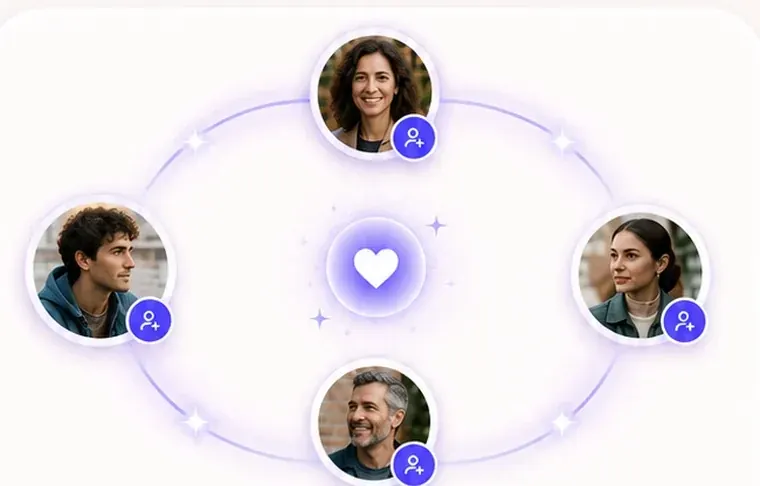
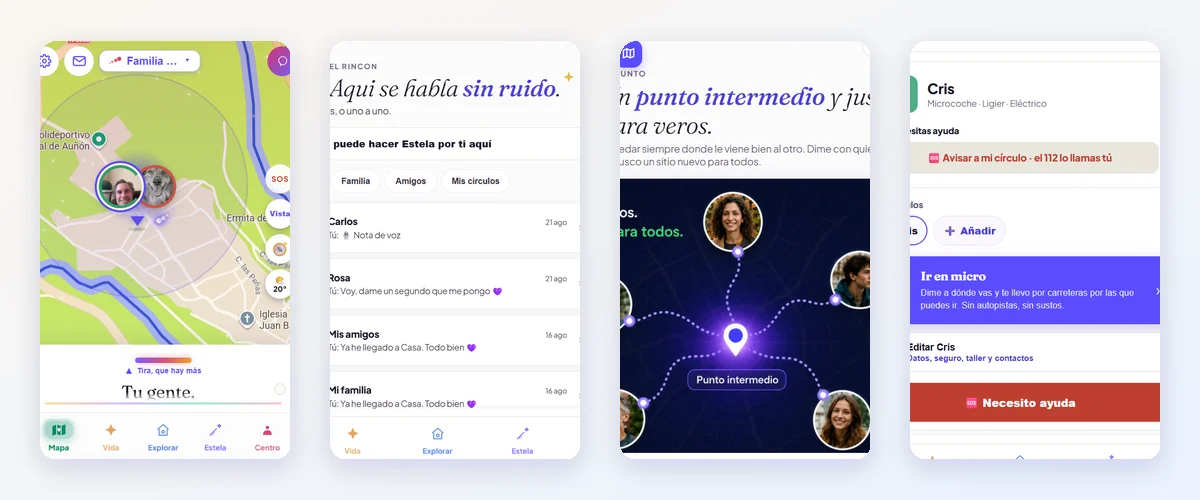
Family location apps (Life360, Mi Estela, GeoZilla, iSharing…) bring together in one place what phone features have scattered: a map with the faces of your people, automatic arrival alerts at your usual spots, an SOS button, each person's battery level, chat and, in some, calls and video calls. The important differences between them aren't the features, which are similar, but three things: whether they're symmetrical or have a supervisor, what they do with your data, and how much they cost. We've compared them, with sources and dates, in the comparisons, and there's a two-minute quiz that tells you which one suits you (even if it isn't ours).
And then there's something else: parental control
Family Link, Qustodio, FamiSafe and Find My Kids are not apps for sharing location within a family: they're tools that let an adult supervise a child's phone (screen time, allowed apps, web filters, and also where they are). They make complete sense for an eight-year-old with their first phone. For a teenager, for your partner, or for your parents, parental control breaks more than it fixes. Qustodio and Family Link, explained without rushing.
The benefits, in real life
- Fewer check-in calls. "Did you get there?" disappears when the phone alerts you on its own. And the conversation that's left is the good one.
- Peace of mind with older parents. Knowing your dad went out for his walk and came back, without having to call him every day at the same time. Older parents: knowing they're okay.
- Meeting up without arguing. Seeing where each person is and picking a midpoint. The midpoint.
- Just in case. An SOS that alerts your people with your location. It doesn't replace 112, but it's the button you want to have.
The limits, also in real life
- Battery and manufacturers. Some phones put apps to sleep in the background, and the position gets stale. Guides by brand.
- Coverage. Without a network there's no signal; whatever's pending gets sent later. What happens without coverage.
- Indoors. Inside buildings, accuracy drops to tens or hundreds of meters.
- Trust. If location sharing is used to ask "what were you doing there?", it stops working as peace of mind and starts working as control. And then the other person turns off their phone, and you're back to not knowing anything, only worse.
The law, in two paragraphs
In Spain, the digital age of consent is 14 (article 7 of the LOPDGDD, Spain's data protection law). Below that age, consent to process a minor's data is given by their parents or guardians, which is why circle apps like Mi Estela require users to be 14 to have their own account, while parental controls are set up from an adult's account. In other EU countries, the age ranges from 13 to 16.
With adults, sharing location requires consent, always. Installing a spy app on your partner's phone without their knowledge, or stalking someone who hasn't agreed to share, is a crime. Every honest app notifies the person that they're sharing; if an app brags about being "invisible" to the person carrying the phone, it isn't a family app.
How to do it right: five rules
- Make it two-way. If you can see your child, your child can see you. Symmetry is the difference between presence and surveillance.
- Talk about it first. What it's for, when it's used, and what happens if someone wants to turn it off for a while. A teenager who can switch to "area only" shares more, not less.
- Alerts instead of looking. Set up the arrival alert at home and stop opening the map. What reassures is the alert; looking is what hooks you.
- No endless history. If the app keeps months of routes, ask yourself why. In Mi Estela, history is turned on by each person and deleted after 30 days at most.
- Check what they do with your data. A free app with ads gets paid for somehow. Read the privacy policy: Life360's, for example, allows precise location data to be licensed to partners; Mi Estela's does not. What we do with your data, and what we don't.
Keep reading
- Sharing location between iPhone and Android
- How to know if your child has gotten home without calling
- Sharing location with your partner while respecting privacy
- What to consider when choosing a family location app
Sources
- LOPDGDD, Article 7 (minors' age of consent)
- Apple: Share your location with friends and family
- Google Maps: Share your location in real time
- WhatsApp: How to share your live location
- Life360: Privacy policy (August 26, 2026)