Why your family locator says “10 minutes ago” (and how to fix it)
“10 minutes ago” doesn't mean the app has gone missing. It means their phone hasn't sent a signal in ten minutes. It's almost always one of five causes, and all of them can be fixed.


You look at the map and under her face it says “10 minutes ago.” A little while ago it said “just now.” Is she okay? Has her battery died? Has the app stopped working? It's almost never anything serious: that text only tells you how long ago her phone sent its last position. In this article we explain how location updates work behind the scenes, why they sometimes stop, and what to check in each case.
What “10 minutes ago” really means
A location app doesn't “see” the other person live, like a camera. Their phone sends a position when something happens (they've moved, arrived somewhere or left a place, or some time has passed), and the server saves it with the time. What you see is that last position and how long ago it arrived. “Just now” means their phone just checked in; “10 minutes ago” means it's been quiet for ten minutes. They may be perfectly fine: still in class, phone in their backpack, not moving. A good app doesn't ask for the position every second, because that would drain the battery. It asks when the phone detects movement or a change, and while they stay still, it stays calm. We explain this in how location apps use battery.
The five usual causes
1. They're still and the phone is saving battery
If the person isn't moving, their phone has nothing new to report. iOS and Android tell apps mainly when there's movement or when a saved zone is crossed. If they're sitting on the couch, the last position is still accurate even if it's from twenty minutes ago. Mi Estela uses the motion sensor only to know when you start moving, so it can save battery while you're still.
2. No signal (or a signal that isn't good enough)
GPS works without a network (it uses satellites), but sending the position requires data. In a basement, a tunnel, the mountains, or with airplane mode on, the phone knows where it is but can't share it. Apps keep the last known position until the signal comes back. If you want to know exactly what happens during those gaps, we cover it in what happens to your location when there's no signal.
3. The permission isn't “Always”
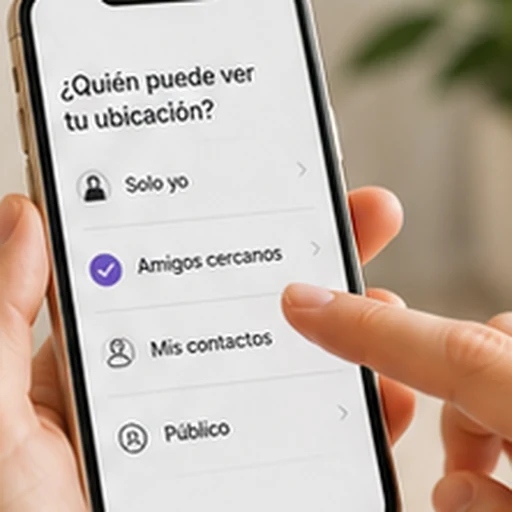
With the “While Using the App” permission (iPhone) or “Allow only while using the app” (Android), the system cuts off location as soon as the app moves to the background. The person shows up fine while the app is open and “X minutes ago” as soon as they close it. The fix is to grant the “Always” permission. Since Android 11, that option can only be selected in the system Settings screen, not from the app's prompt. For step-by-step instructions, see location permissions explained.
4. The manufacturer has put the app to sleep
This is the most common cause on Android. Samsung, Xiaomi, Huawei, OPPO, and others add their own battery saving features that “sleep” apps you don't open, even if they have all the permissions. A sleeping app sends nothing. Each brand has its own setting (“No restrictions,” “Sleeping apps,” “Autostart”), and the exact steps are in our guides by phone.
5. Low power mode or a nearly dead battery
Low Power Mode on iPhone reduces background activity, and on Android battery saver does the same when the charge is low. The app still works, but it sends fewer positions and with more delay. That's why Mi Estela's map also shows each person's battery level: if it says 4%, you know why they've been quiet for a while.
How to check in two minutes
- Look at the battery level on their face on the map. If it's almost empty, that's the cause.
- Ask them to open the app for a second. If it switches to “just now” when opened and goes back to being outdated when closed, it's the permission (cause 3) or the manufacturer (cause 4).
- If it doesn't update even when opened, it's signal (cause 2). Wait for coverage to return.
- If everything looks fine and it still says “10 minutes ago,” they're probably still (cause 1). Nothing is wrong.
And the real test to confirm it's fixed: close the app completely, leave the phone with the screen off for ten minutes, and ask someone in your circle to look at your face on the map. It should say “just now.” If not, go back over the battery step for your phone's brand, since that's the one that most often causes problems.
What it doesn't mean
“10 minutes ago” doesn't mean the person is in danger or hiding something from you. If someone doesn't want to be seen, Mi Estela makes that clear: they can choose to show up only by area or, if they're an adult, turn on Ghost mode and go invisible. You'll see that they're invisible, not a frozen clock. The difference between “no signal” and “doesn't want to share right now” shows up on the map, and both are legitimate. That's what presence, not surveillance is about.
Sources
- Apple: Low Power Mode on iPhone
- Android Developers: background location and the “Allow all the time” permission
- Don't kill my app: what each manufacturer does with background apps