Comparisons · How it works · Family
Find Hub vs Find My: Locate a Lost or Dead Phone & Family Sharing
Google renamed Find My Device as Find Hub in May 2025, and the Google and Apple networks look more alike every year. What each one can do with a lost phone (even when it's off), what doesn't work between iPhone and Android, and where both fall short for a family.

Two names, two networks, and the same idea: your phone can be found even when it's offline, because other people's phones “hear” it over Bluetooth and report it, encrypted. Apple has had it since 2019 (the Find My network); Google switched it on in April 2024 (the Find My Device network), and in May 2025 it renamed the app Find Hub. Here's what each one does as of October 15, 2026, and what neither one does.
Find My, from Apple
- Locate a powered-off or dead-battery iPhone. iPhone 11 and later (not the SE or the “e” models), running iOS 15 or later, keep broadcasting a low-energy Bluetooth signal for up to about 24 hours after being powered off and about five hours after the battery runs out (reserve mode). You need “Find My iPhone,” “Find My network,” and “Send Last Location” turned on.
- Play a sound, mark as lost, erase. From another Apple device or from icloud.com/find. Activation Lock makes the phone useless to whoever has it. We explain step by step in how to locate a lost or stolen iPhone.
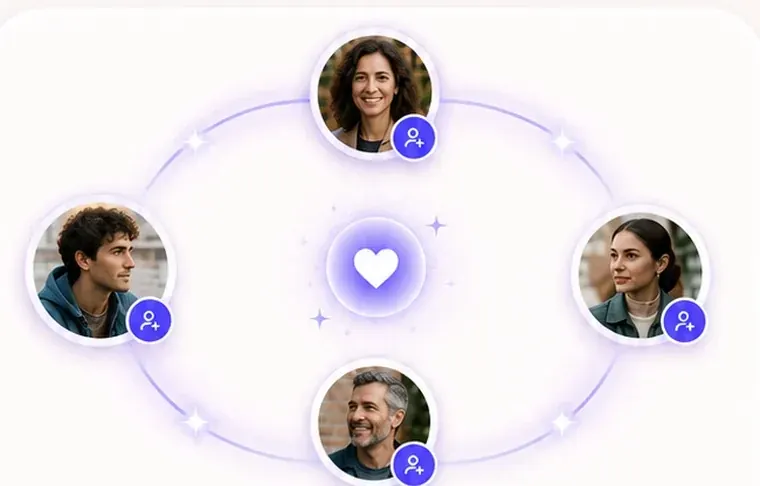
- People. The People tab shares your location with whoever you choose, either indefinitely or for a set time, with alerts when someone arrives at or leaves a place. It's the closest thing to a family app that comes built into an iPhone: Find My to see your family.
Find Hub, from Google
- The network. Since April 2024, Android phones (version 6 or later) with “Find offline devices” turned on help locate other people's phones, earbuds, and tags over Bluetooth, encrypted. There are two levels: “only in busy areas” or “in all areas.”
- Powered off or dead battery. Pixel 8, 8a and later can be located for several hours after the battery runs out; on most other Androids, powered off means powered off (the same as iPhones were before 2021).
- Ring, lock, erase. From android.com/find or the app on another phone, as always: how to locate a lost or stolen Android.
- People. Find Hub puts in one tab the people who share their location with you (the same ones as in Google Maps). In 2025 Google also announced nearby finding via UWB with compatible tags, and satellite connection to stay in touch without coverage.
Side by side
| Find My (Apple) | Find Hub (Google) | |
|---|---|---|
| Locate when off | iPhone 11 and later (not SE/“e”), ~24 h | Pixel 8 and later, several hours with dead battery; the rest, no |
| Network of other devices | Since 2019, hundreds of millions of Apple devices | Since April 2024, Android 6+ with it turned on |
| Ring / lock / erase | Yes (icloud.com/find) | Yes (android.com/find) |
| See family | People tab, with place alerts | People tab (from Google Maps) |
| Works between iPhone and Android | No | Only people, via Google Maps |
| Tags (AirTag, Moto Tag…) | AirTag and compatible tags | Find Hub tags; UWB on compatible ones |
Where both fall short for a family
Both were built to find things, and it shows: there's no SOS that alerts everyone, no chat, no view of others' battery levels, place alerts are one-to-one and, above all, they don't cross over: a dad with an iPhone and a daughter with Android can't see each other in Find My, and in Find Hub only if they go through Google Maps. There's also no way to appear “only by area” or to go invisible for a while without stopping sharing altogether.
If your household is mixed, an app that works the same on both avoids the hassle; and if what matters to you is presence, not surveillance (each person chooses how they appear, everyone sees the same about everyone, and each person asks for alerts), that's what a family location app does, not a gadget finder. For a lost phone, though, Find My and Find Hub are the best there is, and they're free: keep both turned on.
Sources
- Engadget: “How to find your iPhone even when it's off” (Sep 6, 2026)
- Droid Life: “Google's Find My Device becomes Find Hub” (May 13, 2025)
- Android Headlines: Find Hub, devices and people (May 13, 2025)
- Wikipedia: Find Hub (Find My Device network, April 2024; Pixel 8 without battery)