What Is a Family Locator App and How It Actually Works Inside
GPS, wifi, cell towers, permissions, and battery: what actually happens when your mom sees your face on the map. And the difference between presence and surveillance.

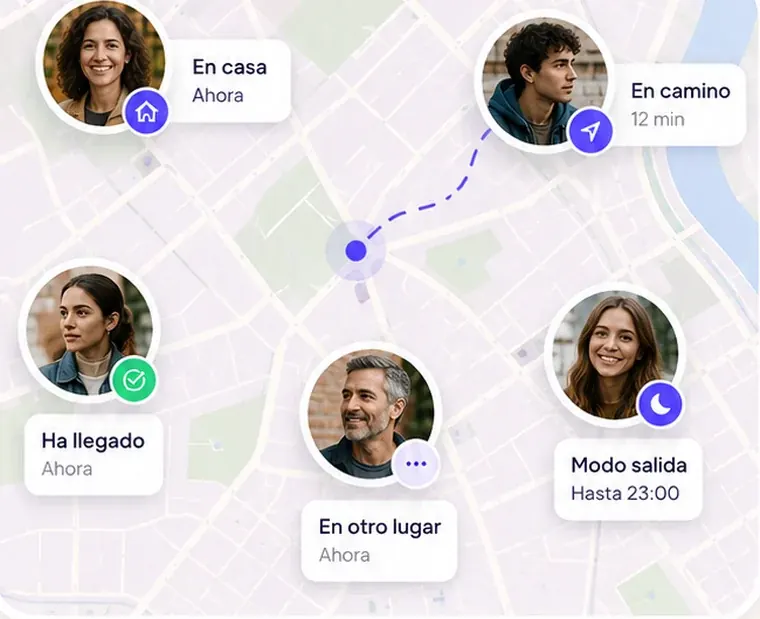
A family locator app does something very simple to say and pretty complicated to do well: it shows on a map where the people you care about are—with their permission—and lets you know when something you want to know about happens (your daughter arrived at school, your dad left the house, your partner's battery is running low). They come in all shapes, from built-in phone features (Apple's Find My, Google Maps) to dedicated apps like Life360 or Mi Estela. In this article we'll walk you through how they work on the inside, no jargon, so you know what you're actually installing.
How your phone knows where you are
Your phone combines three sources to figure out its position. The first is GPS (actually several satellite systems: GPS, Galileo, GLONASS), which gives you accuracy within a few meters outdoors but struggles inside buildings and drains the most battery. The second is wifi: your phone recognizes nearby networks and compares them against maps of known networks, which works indoors with accuracy in the tens of meters. The third is cell towers: less precise (hundreds of meters), but available almost all the time.
The operating system (iOS or Android) blends all three and hands the app a position with a margin of error. That's why in Mi Estela you'll sometimes see "approximate zone only": it's not a glitch—it means the person chose to share only their rough area, or the phone only had towers and wifi to work with.
Why it needs permissions (and which ones)
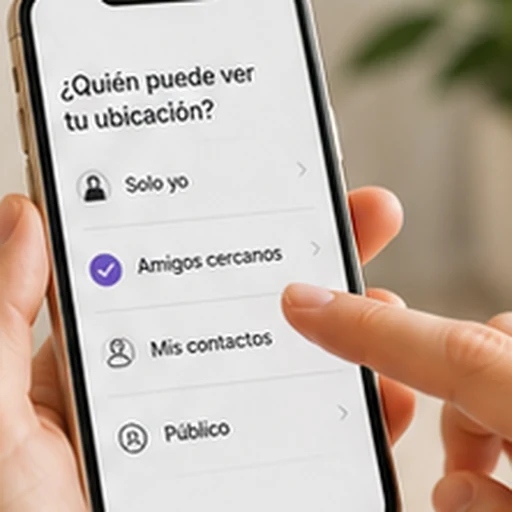
No app can know where you are without your explicit permission. On iPhone you choose between "Never," "Ask Next Time," "While Using the App," and "Always," and whether the location is "precise" or approximate. On Android, it's similar: "Don't Allow," "Allow Only While Using the App," and "Allow All the Time," plus the "precise location" toggle. Starting with Android 11, "Allow All the Time" can no longer be granted from the app's pop-up—you have to set it in Settings, and that goes for every app.
The difference between "while using" and "always" is the difference between an app that locates you when you open it and an app that can let your family know you got home without you ever opening it. That's why locator apps ask for "Always." We explain it step by step in How to get started and, brand by brand, in the phone-specific guides.
Battery: the big misunderstanding
An app that pinged the GPS for your exact position every second would kill your battery in a few hours. Serious apps don't do that: they request your position when it matters (when the phone detects you've moved, when you change zones, when you enter or leave a saved place) and use the phone's motion sensor to spend zero battery while you're still. Mi Estela, for example, uses the motion sensor only to know when you start moving and save battery when you're not; it never measures your physical activity.
What actually kills the battery (and the apps) are the "optimizers" some manufacturers bake in, which put background apps to sleep. Samsung, Xiaomi, Huawei, and OPPO each have their own setting. If a locator app "stops working at night," that's almost always the culprit.
Geofences: how it knows you've arrived
Arrival alerts work with geofences: an invisible circle around a place (your home, school). When the phone enters or leaves that circle, the operating system wakes the app and the app sends the alert. It's more efficient than checking your position nonstop, but it has its quirks: the circle has a minimum size, the phone may take a moment to notice, and it needs signal to send the alert. In Mi Estela, arrival alerts for your usual spots are free for three places, and the app clearly tells you they work "when there's signal and alerts are turned on." More about geofences here.
Presence and surveillance are not the same thing
This is the difference that matters most to us. A surveillance app has a supervisor who sees more than everyone else: a parent controlling a child's phone, a history nobody can turn off, speed reports, sometimes a microphone. A presence app is symmetrical: what you see of the other person, they see of you; each person chooses how they appear (precise, approximate zone, or invisible); and the history, if it exists, is turned on by each person for whoever they choose.
Both have their place. For an eight-year-old with their first phone, parental controls make sense. For a fifteen-year-old, for your aging parents, or for your partner, surveillance breaks more than it fixes. Mi Estela is in the second group, on purpose, and from age 14 in Spain, which is the age of digital consent. We talk about it in "Presence, not surveillance".
And the data—where does it go?
Every position you share travels to the app's servers and from there to the phones in your circle. What happens next depends on the company. Some show ads on the free plan and use identifiers for advertising; one has sold location data to brokers (what happened with Life360). Before you install a locator app, check two things: the "App Privacy" section on its App Store or Google Play listing, and whether its policy talks about "licensing" or "sharing with partners" your location. Mi Estela has no ads and does not sell or license location data to anyone; its servers are in the European Union.
In a nutshell
- Your phone locates itself with GPS, wifi, and cell towers; the app only gets what you allow.
- "Always" is the permission that makes arrival alerts possible; from Android 11 on, you set it in Settings.
- Battery drain comes from poorly built apps and manufacturer optimizers, not from location itself.
- Presence (symmetrical, with consent) and surveillance (supervisor, fixed history) are different products.
- Check the privacy label before you install.