GPS Watch for Kids: What It Does, What to Check, When to Use
It's the usual answer for the kid who doesn't have a phone yet: a watch with a SIM that shows where they are and calls Mom. What it really does, what to look for, and why it isn't forever.


Between the ages of six and twelve, many kids still don't have a phone, and many families don't want to give them one. That's the gap GPS watches for kids fill: a watch with a SIM card, GPS, and a few features controlled from the parents' phone. This article doesn't sell any (Mi Estela doesn't make watches). It explains what they do, what to look for, and when they stop making sense.
What a GPS watch for kids does
- Its own location. It has GPS and a SIM, so it sends its position on its own, without relying on nearby iPhones (the difference from an AirTag).
- Calls and messages only with people you choose. A short list of numbers: Dad, Mom, grandparents. Nobody else can call the watch.
- SOS button. A long press calls or alerts the emergency numbers you set up, along with its location.
- Safe zones. Alerts when the watch enters or leaves school or home (the classic geofences).
- School mode. Locks the watch during school hours so it doesn't distract.
What to look for before buying
- The SIM and its plan. You need a line with data (not much, but every month). Check that the watch works on today's 4G networks in Spain: cheap models that only use 2G are losing coverage.
- The battery. One day, two at most. If the kid forgets to charge it, there's no watch. Ask yourself who will charge it every night.
- Indoor accuracy. Inside school, GPS doesn't reach, and the watch relies on Wi-Fi and cell towers: "they're at school" yes, "which classroom" no. That's normal. Be wary of anyone promising meter-level accuracy indoors.
- Where the data goes. Your child's location passes through the manufacturer's servers. Read the privacy policy, check the company's country, and see whether the parents' app asks for more permissions than it needs. Many very cheap watches are white-label products with apps of unclear origin.
- The school. More and more schools ban watches with cameras, calls, or messages in class. Ask first; school mode helps.
- Make sure the kid knows what it is. A watch that "sees" you without the child understanding it teaches the opposite of what we want: that you share because you trust each other. Talk about it.
When it makes sense and when it stops
It makes sense for a child going to school or after-school activities alone for the first time who doesn't have a phone yet. It stops making sense when the phone arrives (usually between ages 11 and 13). At that point the watch goes in a drawer, and what you need is parental controls set up by an adult, with its locator included (Family Link is free; Qustodio is more complete and paid). And from age 14, when in Spain a teen can have their own account, the move is to a family location app where they know they're sharing and can choose how: here's how we explain it for parents of teenagers.
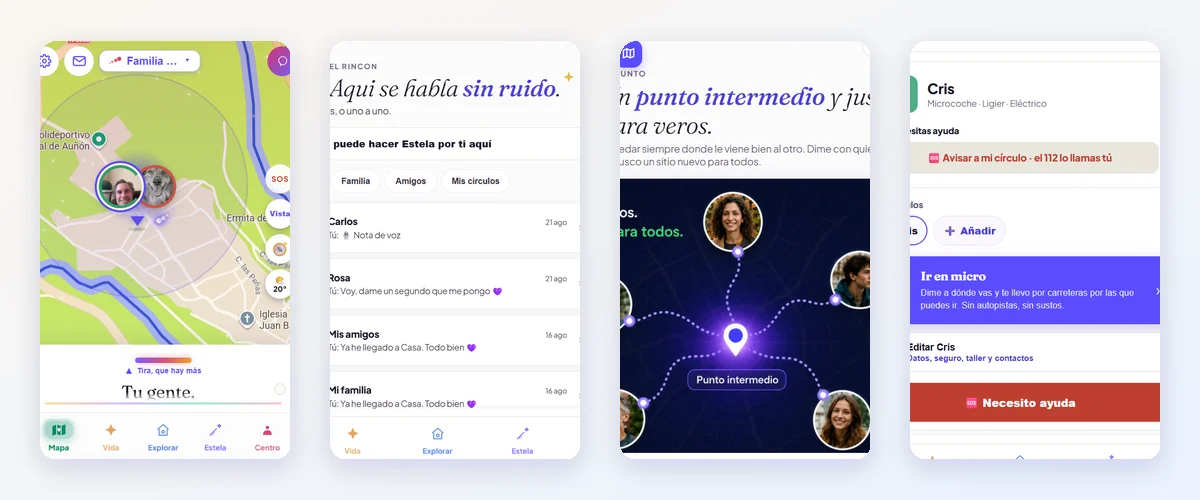
To be honest: Mi Estela starts at 14 and isn't meant for an eight-year-old. For them, a watch or parental controls. For your fifteen-year-old, us.