How to tell if your phone has stalkerware (and what to do, carefully)
Stalkerware is a program someone secretly installs on your phone to find out where you are and what you do. It's a crime, and it can be detected. This guide comes with an important warning: if you're in a dangerous situation, don't delete anything yet.


There's a huge difference between sharing your location with someone and having someone take it from you. The first is an honest location app: you can see what you're sharing, with whom, and you can stop whenever you want. The second is stalkerware: programs secretly installed on your phone (someone needs your phone in their hands for a few minutes, or your password) that send your position, your messages, your photos, or even what the microphone hears to another person. In Spain it's a crime: the Criminal Code punishes harassment and the discovery of secrets. And it's mostly used in relationships between partners.
Before you go on: if you think the person watching you is your partner or ex and might react badly, don't delete anything yet. Removing the program alerts them that you've found it. Ask for help first: 016 (free, confidential, and 24 hours a day, in Spain; it won't show up on your bill, but it will appear in your phone's call log, which you can delete; also by WhatsApp at 600 000 016 and by email at 016-online@igualdad.gob.es), the National Police (091) or the Guardia Civil (062), and in an emergency, 112. Evidence on your phone can be useful in a police report.
Warning signs (none of them is proof on its own)
- Someone knows where you've been or who you've talked to without you having told them.
- Your partner or ex has had your phone or knows your Apple or Google password.
- The battery drains much faster and the phone gets hot even when you're not using it; data usage goes up for no clear reason.
- On Android, apps you don't remember installing, with generic names ("System Service", "Sync"), or the "install unknown apps" option turned on.
- On iPhone, a configuration or management profile you didn't set up, or your Apple account signed in on a device you don't recognize.
Checking an iPhone
An unmodified iPhone is hard to infect with spyware: the usual route isn't an app, but your own Apple account signed in on another device, or location sharing in Find My. Since iOS 16, Apple has a tool designed for exactly this:
- Settings › Privacy & Security › Safety Check.
- Manage Sharing & Access shows you, one by one, who you share your location with (Find My, arrival alerts), which apps can access your location, contacts or photos, and which devices your Apple account is signed in on. You can remove anything you don't recognize.
- Emergency Reset instantly stops all sharing with everyone and all apps, and walks you through changing your password, your devices, and your emergency contacts.
Also check Settings › General › VPN & Device Management (there shouldn't be any profiles you didn't install) and Settings › your name, where you'll find the list of devices.
Checking an Android
- Google Play Protect: open Play Store › your profile picture › Play Protect › Scan. It detects some known stalkerware (not all of it).
- Apps with special powers: in Settings › Apps › Special app access (or "Advanced"), look at Device admin apps and Notification access; and in Settings › Accessibility, look at downloaded apps with the accessibility service turned on. Stalkerware almost always lives there, because those are the permissions that let it read your screen and messages. Nothing you don't recognize should be enabled.
- All apps, including system ones (Settings › Apps › See all apps, and the "Show system" menu): look for generic names and check their location permissions.
- Your Google account: myaccount.google.com › Security › Your devices, and sign out of any that aren't yours. Change your password and turn on two-step verification.
A clear sign on Android: if "Allow all the time" location access has been granted to an app you don't know.
What to do afterwards
- Change your passwords (Apple or Google, your email, and your phone's unlock code), from another device if you can.
- If there's a risk, report it before deleting anything: the police may need the phone exactly as it is.
- If there's no risk and you want to wipe it completely, a factory reset removes stalkerware; afterwards, don't restore a backup that was made with the program on it.
- You don't have to face this alone: the Coalition Against Stalkerware (founded in 2019 by domestic violence organizations and security companies) offers resources for victims, and in Spain, 016 also supports family members.
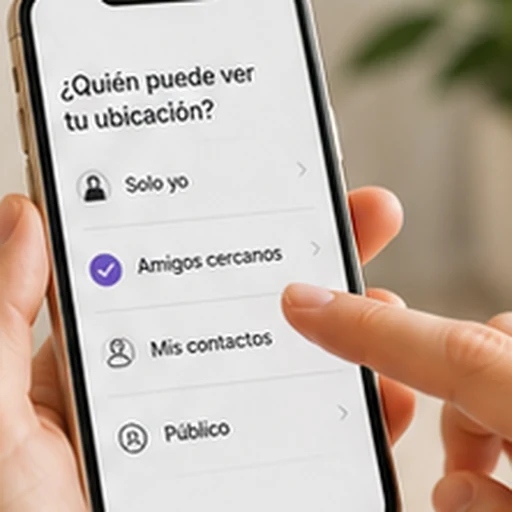
And here's what we need to say as a location app: the line between presence and surveillance is that the person knows about it and can say no. In Mi Estela, each person agrees to join the circle, sees what they're sharing, and chooses whether to appear precisely, by zone, or invisible; there's no way to see anyone in secret. What we do and what we don't.
Sources
- Apple: Personal Safety User Guide (Safety Check)
- Coalition Against Stalkerware
- Apple and Google: Unwanted Tracking Alerts (May 13, 2024)
- La Moncloa: 016 helpline, what it is and how it works (Apr 1, 2026)